General Settings
Every project has a set of parameters that must be defined in the General Settings section.
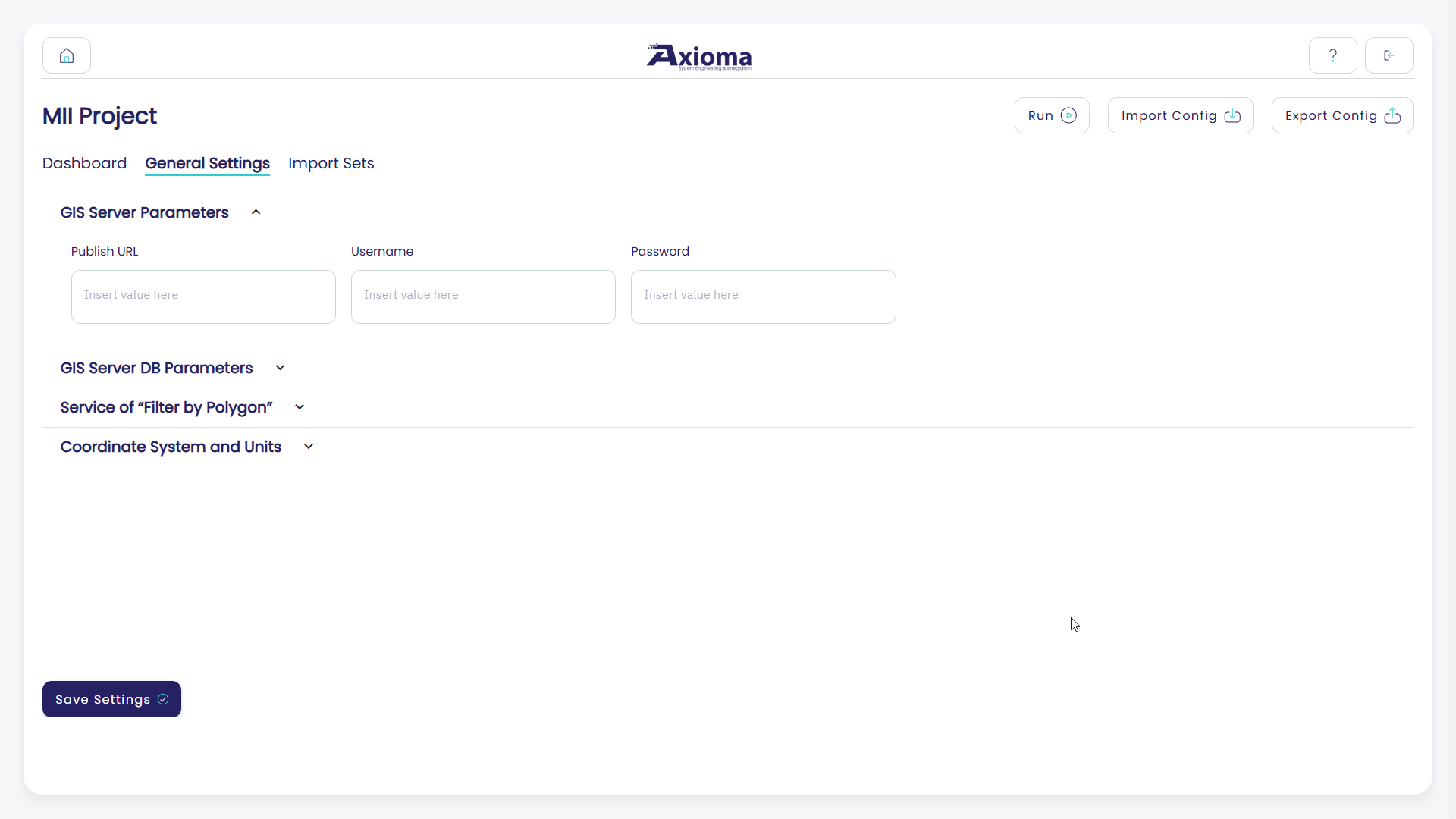
Here the user can define:
The GIS server parameters: URL, username, and password.
The GIS server database parameters: server name, username, password, and database name.
An optional filter by polygon service. This service allows GPT to filter out any feature that is not geographically located inside a user-defined polygon.
The coordinate system and units to be used when interpreting the drawing data.
Geo Filtering
GPT supports geo filtering through an optional filter by polygon service.
When this option is configured, GPT checks whether the features extracted from the import set files are geographically located inside a polygon exposed by the configured GIS service. Features located outside the polygon are filtered out and are not imported into the target GIS layer.
Important
The filter by polygon service must be a Feature Server.
The filter service must also be freely accessible by GPT. Make sure that the service is not protected by username and password. If the service requires authentication, GPT will not be able to use it for geo filtering.
If the service is accessed through HTTPS, make sure there are no certificate issues. For example, an expired certificate, an incomplete certificate chain, or a certificate whose hostname does not match the service URL may prevent GPT from reaching the service.
If HTTPS cannot be used because of certificate issues, ArcGIS Server can be configured to expose services through both HTTP and HTTPS. In that case, the filter service can be configured in GPT using the HTTP URL.
Typical direct ArcGIS Server URLs are:
https://<server>:6443/arcgis/rest/services/<Folder>/<ServiceName>/FeatureServer
http://<server>:6080/arcgis/rest/services/<Folder>/<ServiceName>/FeatureServer
Note
If ArcGIS Server is exposed through a Web Adaptor, reverse proxy, or load
balancer, the URL may look different and may use standard ports such as
443 for HTTPS or 80 for HTTP.
Example:
https://<public-host>/<web-adaptor-name>/rest/services/<Folder>/<ServiceName>/FeatureServer
Export Current Configuration
It is possible to export the configuration of a project and reuse it in another project.

This consists of exporting the project’s general settings and import sets.
To export the project configuration, use the dedicated Export Config button available in the GPT header.
Note
Exporting a configuration does not export the project’s files.
Once the export is completed, a .json file is created in the
Exported Projects folder in the GPT root folder.
Import Existing Configuration
It is possible to import into GPT the configuration of another project.
This consists of replicating the general settings and import sets of another project in the destination project.
To import an existing configuration, the user must first place the .json
file of the project to import in the Projects to Import folder, available
in the GPT root folder.
Then the user can use the dedicated Import Config button available in the
GPT header and select the .json file to import.
Note
Importing a configuration does not affect the project’s files.
The destination project must be empty, with no existing import sets, at the time of import.